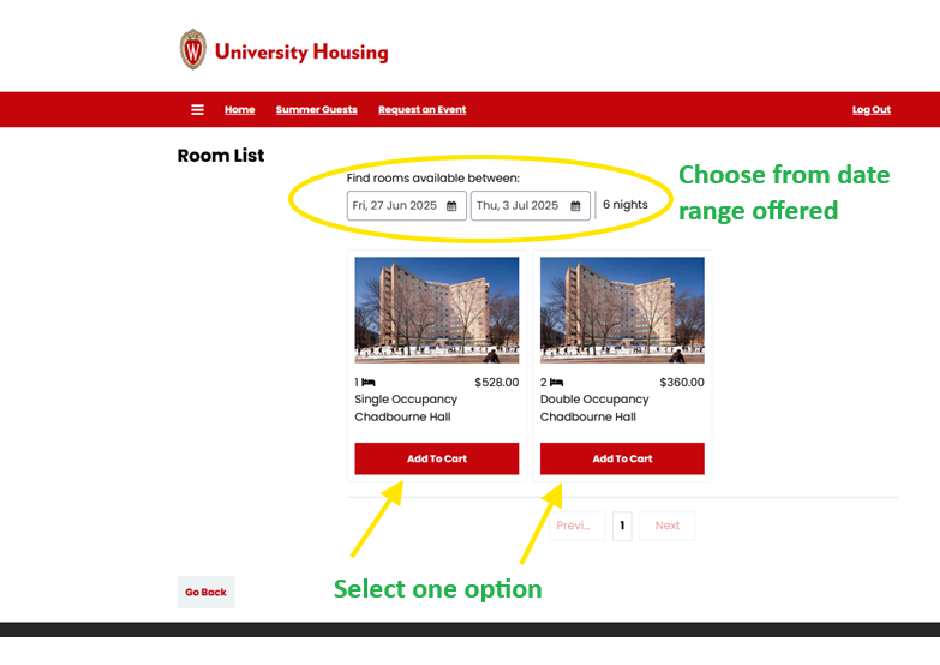
Lower-cost campus housing is available to MNID 2026 attendees through the University of Wisconsin–Madison StarRez portal. Follow the steps below to book. Click any screenshot to view it at full size.
Step 1
Go to the online registration portal:
uwmadison.starrezhousing.com/StarRezPortalConference/Login
Step 2
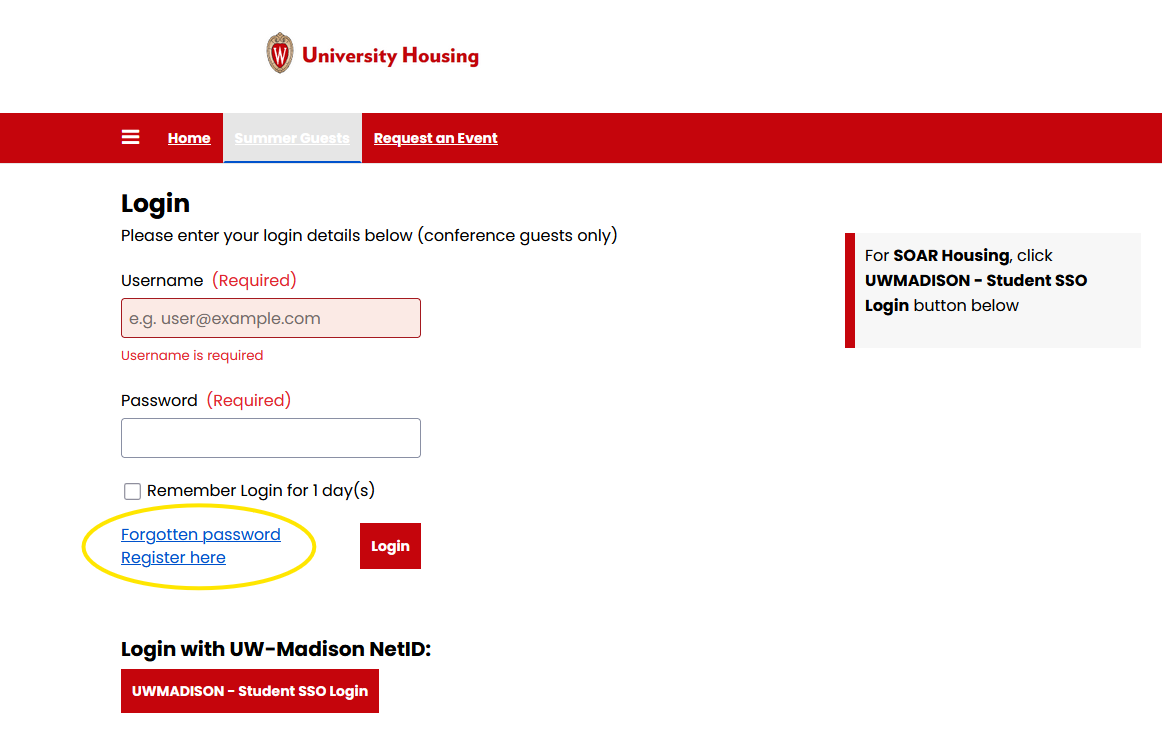
Conference participants will Register here where it is circled in yellow below. (If you already have an account from a prior stay, use Log in with your existing email and password.)
Step 3
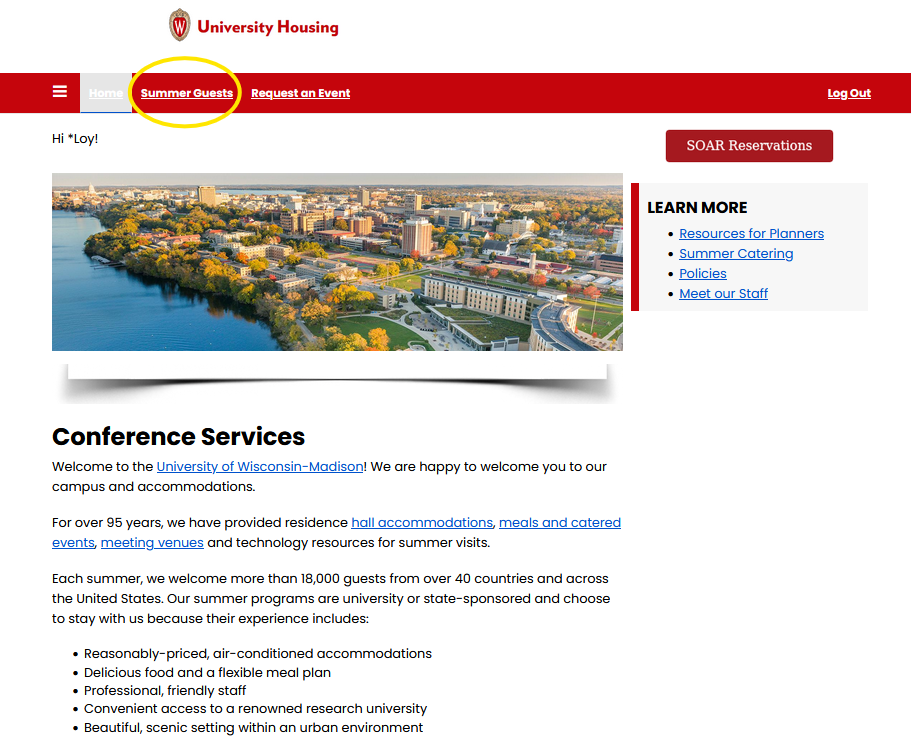
Once logged in, you’ll see your name at the top of the page. Click Summer Guests.
Step 4
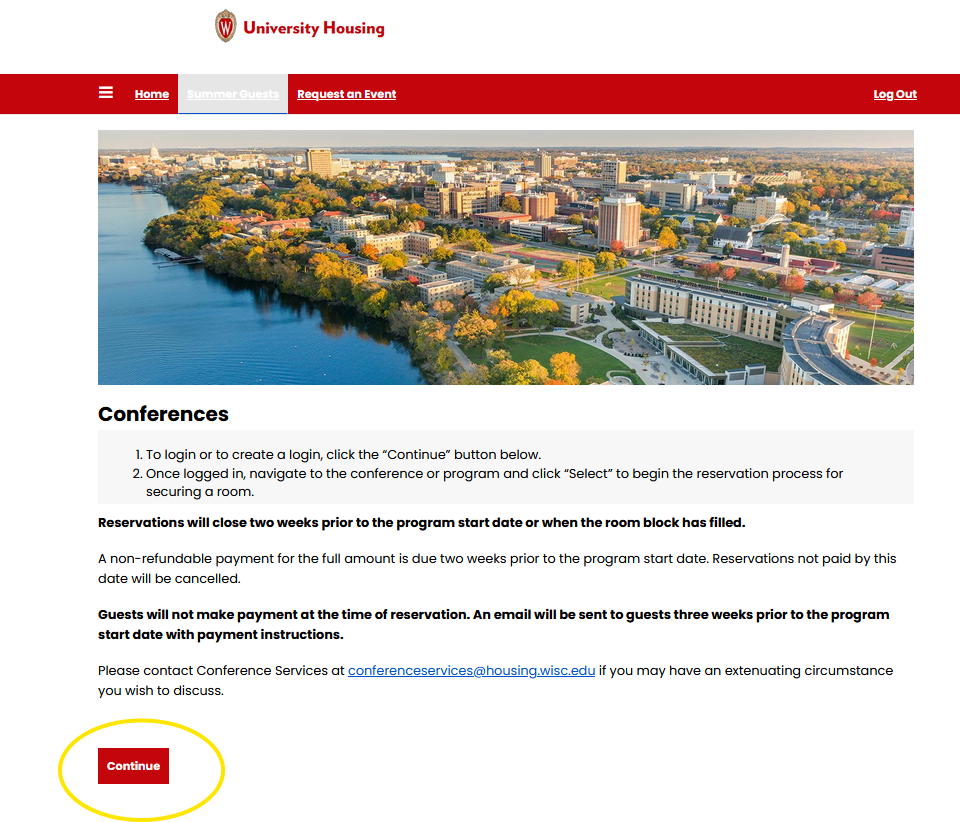
Click Continue at the bottom of the page.
Step 5
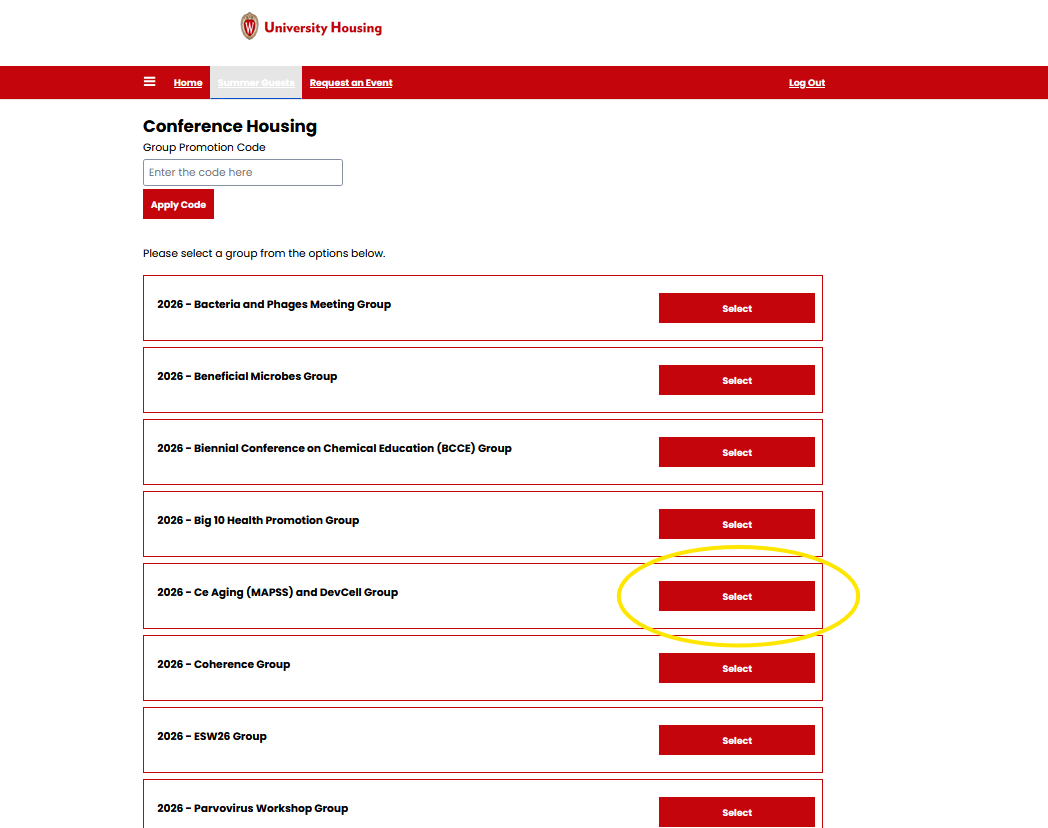
Choose Select for your corresponding conference or program.
Step 6
Once you select the conference group, two pages of overview and questions will follow. Housing options appear on the next page, where you can adjust your dates (keep the full range of offered nights, or arrive later and/or depart earlier) and choose a spot in a Double Room or a Single Room, depending on what the conference is offering.
Please note:
- A Single room means you are paying to be alone in a room, to yourself.
- If you choose a Double room, you pay for one spot in a double room for two people. If you have a roommate preference, indicate that — your roommate must also choose you in order to be placed together. If you do not make a roommate choice, you will be paired with another attendee of the same identifying gender from your conference.